Command Operators
Command operators used in the terminal are used to combine, direct, and execute commands under certain conditions. Here are the basic command operators and their functions:
1. ‘;’ (Semicolon)
-
The semicolon operator is used to execute multiple commands one after another. The commands are executed independently of each other, the next command is executed when the previous command finishes. This means that the success or failure of one command does not affect the execution of other commands.
- Usage
comamnd1; command2; command3command1,command2andcommand3are executed in order. Each command executes independently of the previous one. - Example
echo "Hello, World!"; mkdir test; cd test
2. ‘&’ (Ampersand)
-
This operator is used to run a command in the background so that other operations can be performed in the terminal.
- Usage
command &commandis run in the background. - Example
sleep 10 &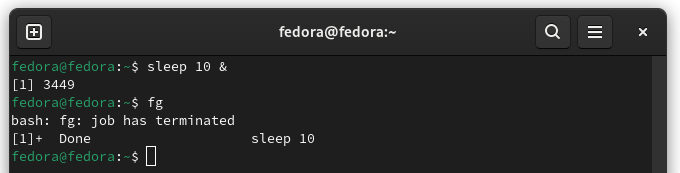
The
fgcommand is used to bring a background job to the foreground.
3. ‘&&’ (AND)
-
This operator executes the next command if the first command succeeds. If the first command fails, the next command is not executed.
- Usage
command1 && command2If
command1succeeds,command2is executed. - Example
pwd && ls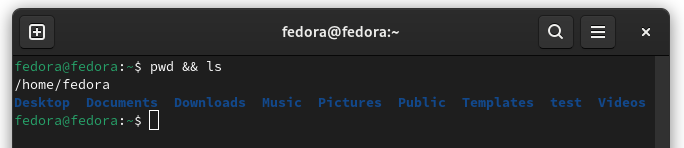
4. ‘||’ (OR)
-
This operator executes the next command if the first command fails. If the first command succeeds, the next command is not executed.
- Usage
command1 || command2If
command1fails,command2is executed. - Example
pwd || ls
5. ‘|’ (PIPE)
-
The pipe operator is used to use the output of one command as input to another command. This operator is often used to create chains of data processing.
- Usage
command1 | command2The output of
command1becomes the input ofcommand2 - Example
ls -l | grep test
6. ‘!’
This command is used to re-run a command that was run in the past. Usage examples:
- ‘!number’
-
Reruns a specific command number that was run in the past.
- Usage
!number - Example
!12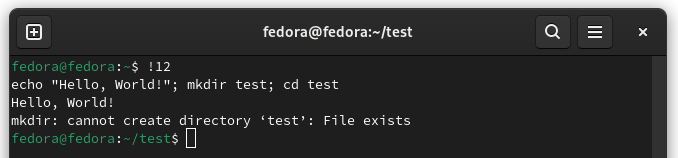
-
- ‘!!’
-
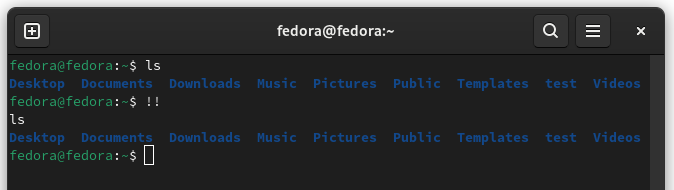
Reruns the last executed command.
- Usage
!! - Example
  ls
  !!
-
- ‘!string’
-
Reruns the last command that started with
string. - Usage
!string - Example
!echo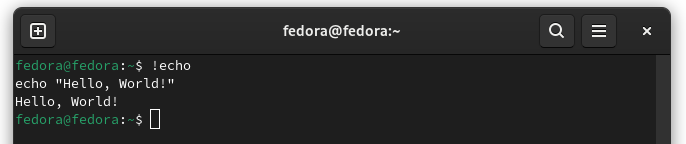
-
- ‘!$’
-
Reuses the last argument of the last executed command.
- Usage
command !$ - Example
  echo "Hello, World!"
  vi !$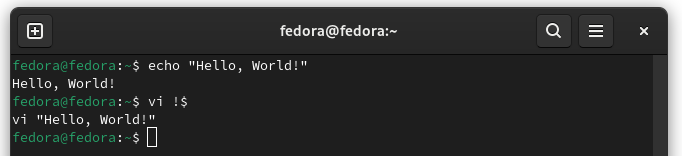
-
7. ‘>’, ‘»’, ‘<’ (The Redirection Operators)
The Redirection Operators
- ‘>’
-
This operator is used to redirect the output of a command to a file. If the file already exists, it overwrites the previous content.
- Usage
command > output_fileThe output of
commandis written to the fileoutput_file. If the file already exists, its contents are deleted and rewritten. - Example
echo "Hello, World!" > output_file
-
- ‘»’
-
This operator appends the output of a command to a file. If the file does not exist, it is created; if it does, it is appended to the current content.
- Usage
command >> output_fileThe output of
commandis appended to the end of the fileoutput_file. - Example
  echo "new line" >> output_file2
  echo "new line2" >> output_file2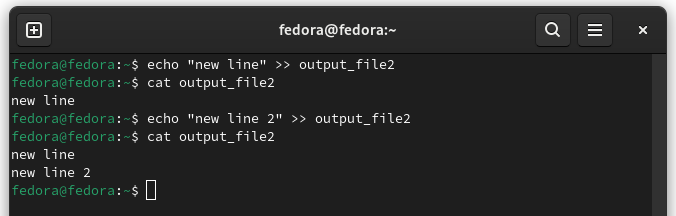
-
- ‘<’
-
This operator is used to get the input of a command from a file.
- Usage
command < input_fileThe input of
commandis taken from theinput_filefile. - Example
grep a < alphabet.txt
-
8. ‘2>’ (Redirecting Standard Error)
-
This operator is used to redirect the error output of a command to a file. Unlike normal output, error messages are redirected with the
2>operator. - Usage
command 2> error_fileThe error output of
commandis written to the fileerror_file - Example
ls -l output 2> /dev/null
The
/dev/nullfile is specifically used to prevent unwanted output or error messages.